
The Opening
Most conversations about AI in marketing start with content.
AI writes the ad copy. AI generates the image. AI produces the video. AI spins up fifty headline variants for an A/B test. That is the story everyone recognises, and it is real.
But it is not the story that changed my work.
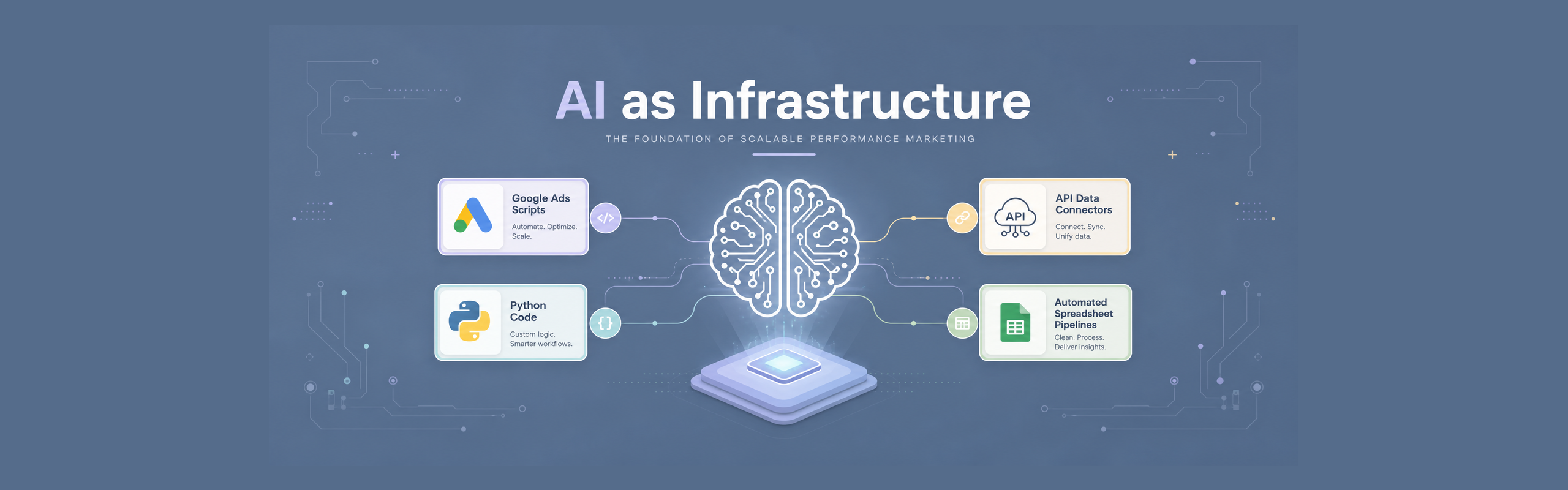
The bigger shift happened underneath. It happened in Google Ads scripts, Python pull jobs, API connectors, spreadsheet pipelines, and local project folders. It happened in the boring, repetitive work that keeps a performance marketing operation accurate: checking URLs, updating tracking templates, labelling campaigns, reconciling conversions, surfacing deviations before they cost money.
That is where AI stopped being a novelty and became infrastructure.
I am not a developer. I am a performance marketer who learned to script because the job demanded it. Google Ads Scripts was the gateway. Python came next, then SQL, then the Google Ads API, then Apps Script, then a mess of spreadsheets that pretended to be databases. I built small tools because I had to. Over time, those small tools became a system.
AI did not make coding accessible to me in some dramatic way. I could already write scripts. What AI changed was the speed, the scale, and the shape of what I could build alone. ChatGPT gave me snippets. A proper data backbone forced me to think like a systems designer. Claude turned those systems into files I could organise and reuse. Kimi Code, with the right add-ons, made the whole thing cheap and repeatable enough to run every day.
This post is about that progression. Not a model comparison. Not a coding tutorial. Just the story of how the tools helped me move from writing need-based scripts to building martech systems, and what I had to put in place around them to make those systems reliable.
Scripts, Not Systems
Google Ads Scripts was where it started.
The first one I wrote was a 404 checker. It crawled the landing pages in my accounts, flagged anything that returned a bad status, and emailed me a list. Simple, but it saved real money. A broken landing page on a live campaign is not a small problem.
After that came a tracking template updater. Whenever UTM parameters changed or a new campaign needed consistent tagging, I would run the script instead of editing rows by hand. Then a performance monitor that labelled campaigns based on spend and conversion trends. Then deviation alerts that flagged when a campaign's cost per lead drifted too far from its recent average.
Each script solved one problem. Each script ran inside the Google Ads account. Each script was useful.
But they were not a system.
They lived in the Google Ads UI. They had no change history. They could not talk to each other. They could not talk to Meta, or to Salesforce, or to the spreadsheet where the sales team logged lead quality. When something broke, I had to debug inside a tiny editor with no tests and no logs I trusted.
ChatGPT accelerated this phase enormously. I could describe what I wanted and get a working first draft in seconds. The 404 checker, the label logic, the alert thresholds. All of it came faster.
But the important thing never changed. The coding came from the assistant. The coding logic and system logic came from me.
AI did not know which campaigns mattered most, what cost-per-lead range counted as normal, or what a deviation actually meant for the business. It did not know which landing pages were critical, which tracking parameters the analytics team expected, or how aggressively to label something before the account team would panic. That came from running campaigns, from losing money on bad setups, from knowing which alerts were worth waking up for.
AI did the hard work of turning that intelligence into code. The intelligence itself stayed human.
That was the ceiling of the snippet era. Scripts solve problems. Systems remove the problem from your daily attention entirely. I did not know it then, but I was about to hit the thing that would force me to think differently.
From Optimizer to Systems Designer
The forcing function was the API.
The Google Ads UI is fine for small checks, but it is slow for anything serious. Once I started pulling data through the API, the depth opened up. I could mix auction insights with CPC, cost, impressions, clicks, conversion data, and any other metric in a single view. I could slice it by campaign, ad group, keyword, day, device, geography, audience, or whatever combination answered the question. Reporting became analysis, not export-and-pivot.
That speed changed what questions I could ask. Instead of checking a few campaigns, I could scan everything. Instead of guessing why performance shifted, I could line up the slices and see it.
The data backbone came next because the API returns more than a spreadsheet can hold cleanly. A structured store made joins possible: Google Ads performance next to Meta spend, next to lead quality signals, next to offline conversion uploads. Spreadsheets stayed the interface; the heavy work moved elsewhere.
This work changed how I thought about the job.
Before, my question was: how do I fix this campaign today?
After, it became: how do I build a flow that prevents this problem forever?
I started organising scripts into reusable modules instead of copying blocks of code. I thought about error handling, idempotency, and logging. I cared whether a job could run unattended and recover cleanly. These were engineering concerns, but they were the only way to make marketing operations reliable.
This was the real mindset shift. I stopped thinking of myself as someone who optimised campaigns and started thinking of myself as someone who designed systems that optimised campaigns. The judgement still came from me. The coding came from the assistant. The coding logic and system logic came from me.
That mindset is what made the Claude era make sense.
Files, Not Prompts
Claude Code changed what I could build.
ChatGPT was interface-based. I typed a prompt, got a snippet, and ran it somewhere else. The 404 checker lived in Google Ads Scripts. The tracking template updater lived in Google Ads Scripts. The reporting script pulled from the Google Ads API and dumped into a spreadsheet. Each thing worked on its own, but they did not talk to each other.
Claude Code was terminal-based. That meant the assistant could see the whole project, run commands, and connect pieces that previously lived in separate places. I had already been moving toward terminal-first workflows with tools like jlon, so the shift felt natural. That is when I started building systems instead of snippets.
The shift was integration.
A project could now call the Google Ads API, the Meta Ads API, the Google Sheets API, and the Drive API in the same flow. It could pull performance data from one platform, enrich it with lead quality data from a sheet, write results back to another sheet, and store a backup in Drive. The APIs stopped being separate destinations. They became modules in the same system.
That is also when the Apps Script builds became real projects. A clasp folder with a few .gs files turned into something with config files, modules, test functions, and clear entry points. Standalone scripts became connected pipelines, closer to the terminal-based Google Ads workflows I had been moving toward.
The realization was not that Claude wrote code faster. It was that Claude let me build my own integrations. I did not have to wait for a vendor connector or settle for a partial workflow. If two platforms had APIs, I could wire them together exactly the way I needed.
The assistant became a systems design partner because it could hold the whole map in context. It knew the Google Ads module, the Meta module, the sheet writer, the error handler. It could suggest where to add a retry, where to split a function, where a shared helper would remove duplication.
ChatGPT helped me solve problems one at a time in a chat window. Claude Code helped me wire those solutions together into something that ran as one project.
Volume, With Guards
Kimi Code gave me the same kind of power at a lower running cost.
The ideas were the same: terminal-based coding assistant, project context, file-level edits. But Kimi was cheaper enough that I could run longer sessions, iterate more, and let the assistant explore bigger refactors without watching the meter. That changed how I used it.
I started building orchestrated workflows. Instead of running one script at a time, I could hand the assistant a whole sequence: pull Google Ads data, pull Meta data, update the reporting sheet, check for deviations, and flag anything unusual. The assistant could run the steps, read the output, and decide what to surface. The human still approved anything that touched live budgets, but the routine flow could be run as one job rather than a chain of separate scripts.
The problem was that Kimi came with less hand-holding.
It was verbose. It would explain every step, restate the plan, and dump walls of text that made it hard to see what actually changed. It had no built-in memory across sessions. It would forget project conventions unless I repeated them. It would confidently suggest running a live change unless I explicitly gated it.
So I had to build the room around it.
The first fix was caveman mode. A custom skill that forced terse responses, stripped the preamble, and made the assistant speak in short, dense sentences. It sounds like a gimmick, but it reduced output verbosity, saved tokens, and surfaced the signal. When output is compressed, mistakes stand out.
The second fix was a usage monitor. It tracked tokens, cost, and context pressure across sessions. I could see which tasks were expensive, which files were bloating the context, and where to split work into smaller sessions.
The third fix was hooks. Session-start hooks read the right skill files. Session-end hooks extracted learnings and appended them to a pending log. The assistant stopped being a blank slate at the start of every conversation.
The fourth fix was AGENTS.md and skills. Project rules lived in the project folder, not in my head or in a chat prompt. If a convention changed, I changed the file. The assistant picked it up automatically.
The fifth fix was dry-run gates. Any tool that could spend money or mutate data had to show a preview first. Confirm once, then apply. This was not about distrusting the assistant. It was about not accidentally spending a client's budget because of a misread variable.
Together, these add-ons turned Kimi from a cheap but messy coding assistant into a reliable operating environment. The coding still came from the assistant. The coding logic and system logic still came from me.
The Breakage
The real friction with Kimi Code was not a single bug. It was the verbosity.
When something broke, Kimi would explain the problem at length, restate what it was about to do, walk through the reasoning, and then finally show the fix. By the time I reached the actual solution, I had read three paragraphs of preamble. For simple issues that was fine. For tricky troubleshooting it was exhausting. The explanation drowned the fix.
Caveman mode changed that. It stripped the preamble and forced the assistant to give me the essentials: what is wrong, what changed, what to check next. When output is compressed, the fix stands out.
It also saved output tokens. Less text meant each session stayed cheaper and I could run more iterations before hitting limits. That mattered for long debugging sessions where context pressure builds up.
The lesson was the same. The model had the right answer. The interface around the model made the answer hard to use. Building the room (caveman mode, hooks, skills, dry-run gates) is what turned cheap compute into reliable work.
What Actually Made Life Easier
Looking back, the tools themselves were only half the story. The other half was the stuff I built around them to make daily work less frustrating.
Project instructions and skills. I stopped typing the same conventions into every session. Naming rules, credentials layout, dry-run patterns, API call structures. All of it went into files the assistant read automatically. That alone removed a lot of repetition.
Caveman mode. Kimi's default verbosity made troubleshooting harder than it needed to be. Compressed responses meant I could see the actual fix without scrolling through explanation. It also kept session costs down.
Usage monitor. I could see which tasks burned tokens and which files bloated the context. That helped me split work sensibly instead of running one giant session.
Dry-run gates. Any tool that could spend money or change live data had to preview first. That removed the anxiety of accidentally running something against a real account.
Hooks. Session-start hooks loaded the right context. Session-end hooks captured what I learned. I stopped starting from zero every time.
The plan choice. The assistant was never the most important part. How I used it was. Kimi sits at a sweet spot for me. Claude and Codex have cheaper basic plans and expensive $99 tiers. I could probably squeeze into a $20 plan and survive on caveman mode, but the extra usage would burn more than the plan itself. Kimi's pricing matches the volume I actually run.
None of these were about the model getting smarter. They were about removing friction from the loop. The coding still came from the assistant. The coding logic and system logic still came from me. But the environment made that partnership reliable enough to run every day.

Written by
Dan Antony
I have spent 11 years building marketing teams and infrastructure from scratch — from a $1.5M B2B SaaS budget to leading two brands across India and Singapore. I write about Meta Ads, Google Ads, SEO, and the MarTech stack that actually moves the needle.