
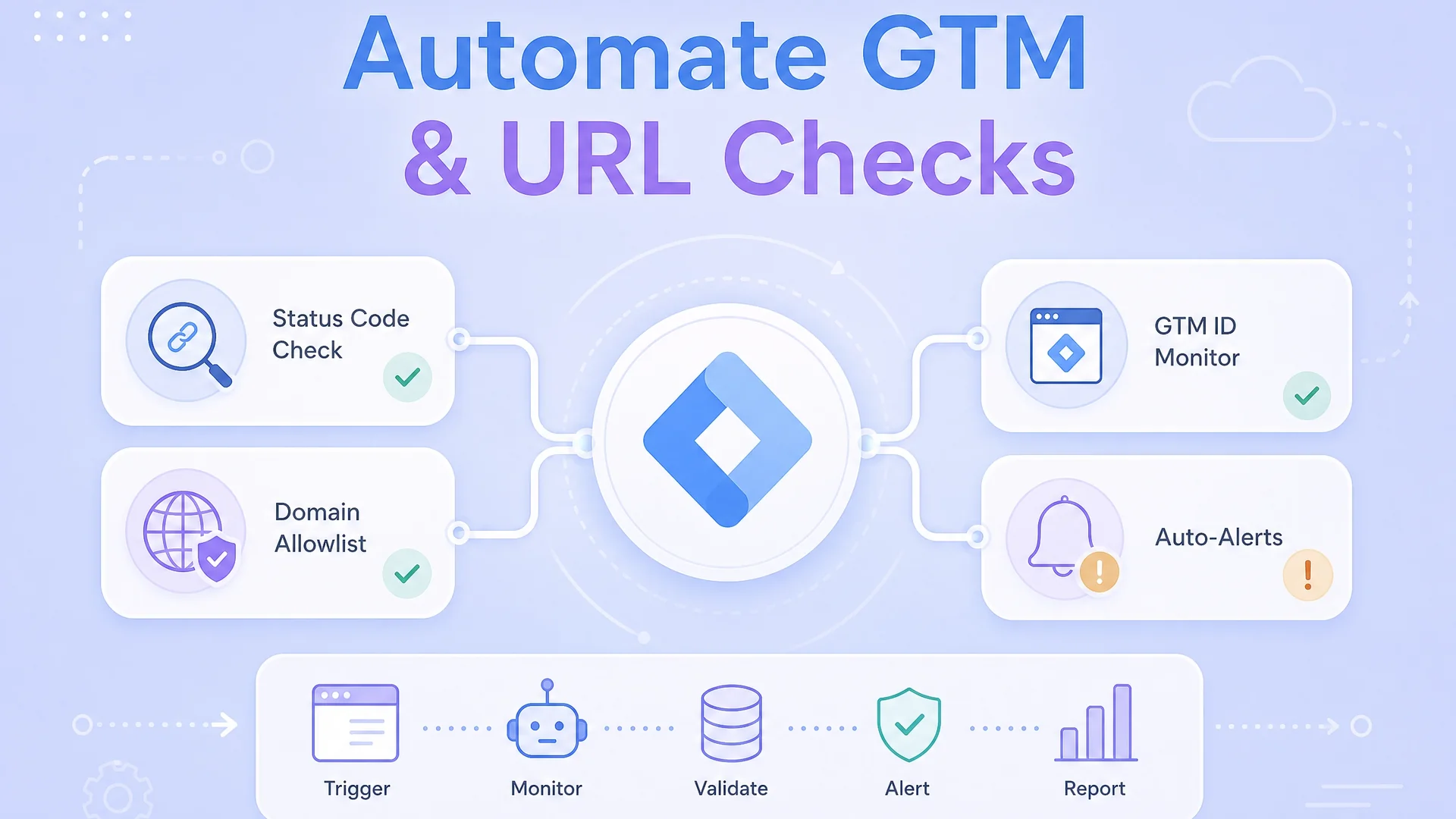
This is an update to the previous article and the more simpler tagmanager monitor I built, and with some additional learnings, I added more robustness to it
Google Tag Manager usually breaks quietly.
There’s no error message, no warning in the interface, and no alert that something went wrong. A container gets removed during a template change. A staging GTM ID ends up on production. A plugin injects a second container. A migration goes live with tracking assumed, not verified. None of this stops the site from working.
Most teams don’t notice until much later.
The first sign is usually missing conversions, strange attribution gaps, or reporting that no longer lines up with reality. At that point, the question is not what broke, but how long it has been broken. The answer is almost never reassuring.
The reason this happens is simple. Most teams do not actively monitor Google Tag Manager. GTM is treated as something that exists as long as it was set up once. Checks are manual, ad hoc, and usually reactive. GTM Preview mode is used during testing, not as ongoing validation. Source-code checks happen when someone remembers to look.
This problem gets worse as soon as you manage more than one website or more than one environment. Production, staging, preview, and development. Different GTM containers, shared templates, shared plugins, and multiple people touching the same codebase. The surface area for mistakes grows, but visibility does not.
At that point, GTM failures are no longer edge cases. They are an expected outcome of shared ownership.
What’s missing is a simple way to answer a basic question automatically: is the correct GTM container present on the pages that matter right now?
This article shows how to set up an automated Google Tag Manager monitoring approach that fills that gap. It focuses on detecting real GTM container issues across multiple sites and environments, without relying on manual checks or paid tools. The goal is not to debug GTM, but to know when it is broken, early enough to prevent silent data loss.
Why Google Tag Manager Issues Usually Go Unnoticed
GTM failures are rarely caused by GTM itself. They are almost always introduced indirectly.
A developer removes the container while refactoring a header template. A staging GTM ID gets pushed to production during a release. A WordPress plugin injects its own container on top of an existing one. A site migration moves templates but not tracking logic. None of these actions throw errors or break the UI.
From a marketing or analytics perspective, everything looks fine until the data starts drifting. By then, the question is no longer what broke, but how long it has been broken.
The reason this keeps happening is simple. There is usually no automated check watching for GTM container integrity. Teams rely on assumptions, occasional manual checks, or post-fact analysis in analytics tools. That gap between breakage and detection is where data quietly disappears.
Why Manual Checks and GTM Preview Mode Don’t Scale
Google Tag Manager preview mode is excellent for debugging during development. It is not designed for monitoring.
Preview mode only works when someone actively opens it. It does nothing when changes happen outside office hours, during deploys, or through CMS updates. Checking page source manually is even more fragile. It depends on memory, discipline, and luck.
As soon as you manage multiple websites or multiple environments, manual validation stops being realistic. The problem is no longer whether you can check GTM, but whether you will remember to check it at the right time.
Monitoring solves a different problem than debugging. Debugging helps you fix known issues. Monitoring helps you notice issues before they show up in your reports.
Monitoring GTM Across Multiple Websites and Environments
The moment you manage more than one site or environment, GTM monitoring needs to become hostname-aware.
It is normal for production, staging, and development environments to use different GTM containers. What matters is not that GTM exists everywhere, but that the correct container exists in the correct place.
This is why a domain-based allowlist works better than page-level assumptions. Each hostname maps to an explicit GTM ID. If the page loads a different container, more than one container, or none at all, it should be flagged immediately.
This approach mirrors how modern infrastructure monitoring works. You define what “correct” looks like, then continuously verify reality against that definition.
Google Apps Script Example for GTM Container Monitoring
The following example uses Google Apps Script to check GTM containers across a list of URLs. It runs off a simple Google Sheets and is set up so that you can have a trigger setup that runs the main function every few hours or however your cycles work. I generally recommend at least once a day.
It validates containers against an allowlist present in GTM_ALLOWED_DOMAINS , retries on failure, and sends alerts only when issues persist.
To run the GTM monitoring check automatically, open the Google Sheet and go to Extensions → Apps Script. Confirm that the function you want to schedule exists, typically checkGtmAcrossUrls. In the Apps Script editor, open the Triggers section from the left sidebar, click Add Trigger, and select the function name you want to run. Set the event source to Time-driven, then choose how often it should run, for example once a day or every hour depending on how often deployments are done. Save the trigger and complete the authorization flow when prompted. It’s a good idea to run the function manually once from the editor to confirm that it updates the GTM sheet correctly before relying on the scheduled trigger.
This is not meant to be a black box. Anyone should be able to read it, understand what it checks, and explain why an alert was triggered.
/**
 * Google Tag Manager Container Monitoring
 *
 * CONFIG SHEET: GTM_ALLOWED_DOMAINS
 * OUTPUT SHEET: GTM
 *
 * Author: Dan
 */

var CONFIG_SHEET = "GTM_ALLOWED_DOMAINS";
var OUTPUT_SHEET = "GTM";
var ALERT_EMAIL = "example@mail.com";
var RETRY_HANDLER_FUNCTION = "retryGtmAcrossUrls";

function checkGtmAcrossUrls(isRetryRun) {

 var ss = SpreadsheetApp.getActiveSpreadsheet();
 var configSheet = ss.getSheetByName(CONFIG_SHEET);
 var outputSheet = ss.getSheetByName(OUTPUT_SHEET);

 var configData = configSheet.getDataRange().getValues();
 var outputData = outputSheet.getDataRange().getValues();
 var now = new Date();

 var domainToGtm = {};
 for (var i = 1; i = 400) status = "FLAG: HTTP ERROR";
 else if (gtms.length === 0) status = "FLAG: GTM NOT FOUND";
 else if (gtms.length > 1) status = "FLAG: MULTIPLE GTM FOUND";
 else if (gtms[0] !== approvedGtm) status = "FLAG: UNAUTHORIZED GTM";

 outputSheet.getRange(r + 1, 2).setValue(statusCode);
 outputSheet.getRange(r + 1, 3).setValue(status);
 outputSheet.getRange(r + 1, 5).setValue(now);

 if (status !== "OK") {
 outputSheet.getRange(r + 1, 4).setValue("YES");
 outputSheet.getRange(r + 1, 6).setValue(now);
 } else {
 outputSheet.getRange(r + 1, 4).setValue("");
 outputSheet.getRange(r + 1, 6).setValue("");
 }

 } catch (e) {
 writeFailure(outputSheet, r, "FLAG: FETCH FAILED", now);
 }
 }

 handlePostRunActions(outputSheet, isRetryRun);
}

function retryGtmAcrossUrls() {
 checkGtmAcrossUrls(true);
}

function writeFailure(sheet, row, status, now) {
 sheet.getRange(row + 1, 3).setValue(status);
 sheet.getRange(row + 1, 4).setValue("YES");
 sheet.getRange(row + 1, 6).setValue(now);
}

function handlePostRunActions(sheet, isRetryRun) {

 var data = sheet.getDataRange().getValues();
 var errors = [];

 for (var i = 1; i 0) {
 if (!getRetryTrigger()) createRetryTrigger();
 if (isRetryRun === true) sendAlert(errors);
 } else {
 deleteRetryTrigger();
 }
}

function sendAlert(errors) {
 var body = "Persistent GTM container issues detected:\n\n";
 errors.forEach(function(e) {
 body += e.url + " → " + e.status + "\n";
 });
 MailApp.sendEmail(ALERT_EMAIL, "GTM Monitoring Alert", body);
}

function getRetryTrigger() {
 return ScriptApp.getProjectTriggers()
 .filter(t => t.getHandlerFunction() === RETRY_HANDLER_FUNCTION)[0] || null;
}

function createRetryTrigger() {
 ScriptApp.newTrigger(RETRY_HANDLER_FUNCTION)
 .timeBased()
 .everyMinutes(30)
 .create();
}

function deleteRetryTrigger() {
 var trigger = getRetryTrigger();
 if (trigger) ScriptApp.deleteTrigger(trigger);
}
How This Compares to Paid Monitoring Tools
Paid tools like ContentKing focus on continuous visibility. They monitor websites for changes that break SEO, performance, or accessibility.
This approach applies the same philosophy to Google Tag Manager. It does one thing only: continuously verifies that GTM container integrity matches expectations. It doesn’t replace analytics tools or debugging workflows. It fills a gap most teams don’t realize exists until data is already gone.
Who This GTM Monitoring Approach Is For
This is useful for teams that rely heavily on GTM but lack automated visibility into when it breaks. Agencies managing multiple client sites. In-house teams running several environments. Marketers who want early warnings instead of post-mortems.
It doesn’t assume perfect processes or tight engineering controls. It assumes shared ownership, frequent change, and the reality that tracking failures are usually human, not technical.
Once you start treating GTM like production infrastructure, monitoring stops being optional. It becomes basic hygiene.
Injecting Google Tag Manager Based on Environment
Monitoring GTM is one side of the problem. Reducing the chances of mistakes in the first place is the other.
In modern setups, GTM should not be blindly hard-coded into templates. Whether you’re working with a frontend-heavy site, a backend-rendered application, or WordPress sitting behind a CDN, the GTM container should be injected deliberately based on environment.
The principle is simple. Each environment has an explicit GTM expectation. Production gets the production container. Staging or UAT gets a test container. Local or development environments either get a sandbox container or no GTM at all.
How you enforce this depends on where GTM is injected.
Front-End Injection Based on Domain or Environment
Front-end injection is common on static sites, SPAs, or setups where GTM is added through a shared JavaScript bundle.
In this approach, the script decides whether to inject GTM at runtime by inspecting the hostname or environment flags. This is useful when you don’t control the backend or when builds are shared across environments.
A simplified example in plain JavaScript might look like this:
(function () {
 const host = window.location.hostname;

 const gtmMap = {
 "www.example.com": "GTM-PROD123",
 "staging.example.com": "GTM-STAGE456"
 };

 if (host === "localhost" || host.endsWith(".local")) {
 return;
 }

 const gtmId = gtmMap[host];
 if (!gtmId) return;

 const script = document.createElement("script");
 script.async = true;
 script.src = "https://www.googletagmanager.com/gtm.js?id=" + gtmId;
 document.head.appendChild(script);
})();
This keeps GTM logic centralized and avoids accidental injection on local or development environments. If a wrong container is introduced or a new hostname is missed, the monitoring approach described earlier will catch it.
Backend Injection Based on Environment (Node.js Example)
Backend injection is usually cleaner and more reliable when you control the server. It ensures GTM is part of the rendered HTML and removes the risk of frontend overrides.
In a Node.js application, GTM injection is typically environment-driven rather than hostname-driven. The environment is known explicitly through environment variables, which makes mistakes easier to avoid.
A conceptual example might look like this:
const GTM_CONFIG = {
 production: "GTM-PROD123",
 uat: "GTM-UAT456",
 // You can map multiple keys to the same ID if needed
 development: "GTM-DEV789",
 dev: "GTM-DEV789",
 localhost: "GTM-DEV789"
};

function getGtmId(env) {
 if (!env) return null;

 // Normalize input (e.g., "Development" -> "development")
 const normalizedEnv = env.toLowerCase().trim();

 // Return the ID if it exists in our config, otherwise null
 return GTM_CONFIG[normalizedEnv] || null;
}

// Usage in Express middleware
app.use((req, res, next) => {
 const currentEnv = process.env.NODE_ENV || 'localhost';
 res.locals.gtmId = getGtmId(currentEnv);
 next();
});
The template layer then conditionally renders the GTM snippet only when gtmId is present. Local and development environments stay clean by default, while production and UAT environments load exactly the container they are supposed to.
This approach works well with CI/CD pipelines, where environment variables are tightly controlled and reviewed.
Why This Pairs Well With GTM Monitoring
Even with clean injection logic, mistakes still happen. Environment variables are misconfigured. Domains change. Templates get reused in unexpected ways. Plugins or third-party scripts introduce their own GTM containers. Injection logic reduces risk. Monitoring catches what slips through.
Together, they create a feedback loop. Injection defines what should happen. Monitoring verifies what actually happens. When the two drift apart, you find out quickly instead of weeks later through broken data.
That combination is what turns GTM from an assumption into something you can trust.
This can also be extended to anything from title tags, structured data, basically anything on a HTML that can be read and checked for
The same idea applies to paid traffic. If a landing page breaks while campaigns are still spending, you rarely find out until the damage shows up in the account. I keep a Google Ads script on this site that works as a scheduled 404 checker — it scans every enabled ad's final URLs and emails an alert the moment a landing page breaks: Google Ads Script to Check Landing Pages for 404s.

Written by
Dan Antony
I have spent 11 years building marketing teams and infrastructure from scratch — from a $1.5M B2B SaaS budget to leading two brands across India and Singapore. I write about Meta Ads, Google Ads, SEO, and the MarTech stack that actually moves the needle.